
E-commerce storefronts like Shopify are highly optimized for direct-to-consumer physical goods. They represent items using a clean model: **Product > Variant > SKU**.
However, when you attempt to shoehorn a motorcycle parts catalog into standard e-commerce architecture, the structure breaks. KTM, Husqvarna, and GasGas catalogs alone contain hundreds of thousands of active components, mapped across thousands of model variants, multiple brands, and complex schematics.
To build a functional storefront, you must successfully synchronize a specialized **motorcycle parts catalog database api** with your Shopify catalog. Here is the blueprint for a professional integration.
The Database Challenge
Unlike a t-shirt, parts catalogs contain relational matrices: fitment relationships, supercessions (where old parts are replaced by a new revision number), and interactive hot spots (pixel coordinates mapping a number on an exploded JPG/SVG to a specific variant).
Step 1: The Relational Schema Blueprint
To keep your storefront responsive, you cannot store relational fits inside standard Shopify tags or metafields—it will quickly breach platform performance and database storage limits.
Instead, store fitment and diagrams in a dedicated external database (like PostgreSQL or MySQL, accessed via a **motorcycle parts catalog database api**) and render them dynamically in the DOM.
A high-performance schema represents the catalog using four primary tables:
- Products (SKUs): Store core part details—weight, MSRP, description, and status.
- Diagrams (Fiche): Exploded illustration files (SVG/JPEG) tied to assemblies (e.g. "Engine - Cylinder Head").
- Hotspots: Pixel coordinates `(x, y)` mapping diagram callout numbers to part SKUs.
- Fitment (Compatibility): Relational keys mapping a SKU to specific motorcycle models (Brand, Year, displacement, series).
Step 2: Managing Part Supercessions
In powersports, parts are continuously upgraded. If a KTM clutch cover had a heat dissipation flaw, KTM releases an updated version. The old part number is superseded by a new revision.
Your integration must map these chains dynamically:
// Supercession mapping algorithm example
{
  "sku": "78130026000",
  "status": "SUPERSEDED",
  "replaced_by": "78130026100",
  "action": "AUTO_FORWARD_TO_CART"
}
When a customer clicks "Add to Cart" on an older diagram, your system must automatically add the active revision and notify the customer, preventing inventory mistakes.
Step 3: Integrating the Frontend Widgets on Shopify
Instead of building custom Shopify page templates from scratch, deploy dynamic web components. This keeps your Shopify Liquid or Hydrogen theme code completely clean.
Here is the markup implementation to inject key Parts Finder widgets on your storefront:
1. Injecting the Parts Finder Page
To render the complete interactive exploded-view page (where users browse brand, year, and microfiche), create a new template on Shopify and include the following shell:
<!-- Target Container for Interactive Parts Finder -->
<div id="partsFinderRoot"
     data-domain="yourstore.com"
     data-country="US"
     data-force-brand="KTM">
</div>

<!-- Load the cloudfront-delivered Parts Finder core -->
<script defer src="https://d2inxtzgf08fgn.cloudfront.net/compatibility/js/main.min.js"></script>
<link href="https://d2inxtzgf08fgn.cloudfront.net/compatibility/css/main.min.css" rel="stylesheet" />
2. Injecting the PDP Compatibility List Widget
To show which motorcycles a specific part fits on standard Shopify product pages, paste this inside your `main-product.liquid` theme file underneath the product form:
<!-- Renders compatibility green badge and model dropdown -->
<div id="compatibilityRoot"
     data-domain="yourstore.com"
     data-sku="{{ product.selected_or_first_available_variant.sku }}">
</div>
3. Injecting Aftermarket / PowerParts Upsells
OEM items are great, but aftermarket cross-sells have much higher margins. Recommending a compatible gasket kit or skid plate when they view a cylinder SKU is done via the aftermarket widget:
<div id="aftermarketRoot"
     data-domain="yourstore.com"
     data-sku="{{ product.selected_or_first_available_variant.sku }}"
     data-country="US">
</div>
Step 4: Ensuring Real-Time Price & Inventory Alignment
Dealership inventories fluctuate hourly. The parts catalog must connect directly to your dealer management system (DMS) or distributor API (such as KTM dealer portals, WP, Beta, or other distributors).
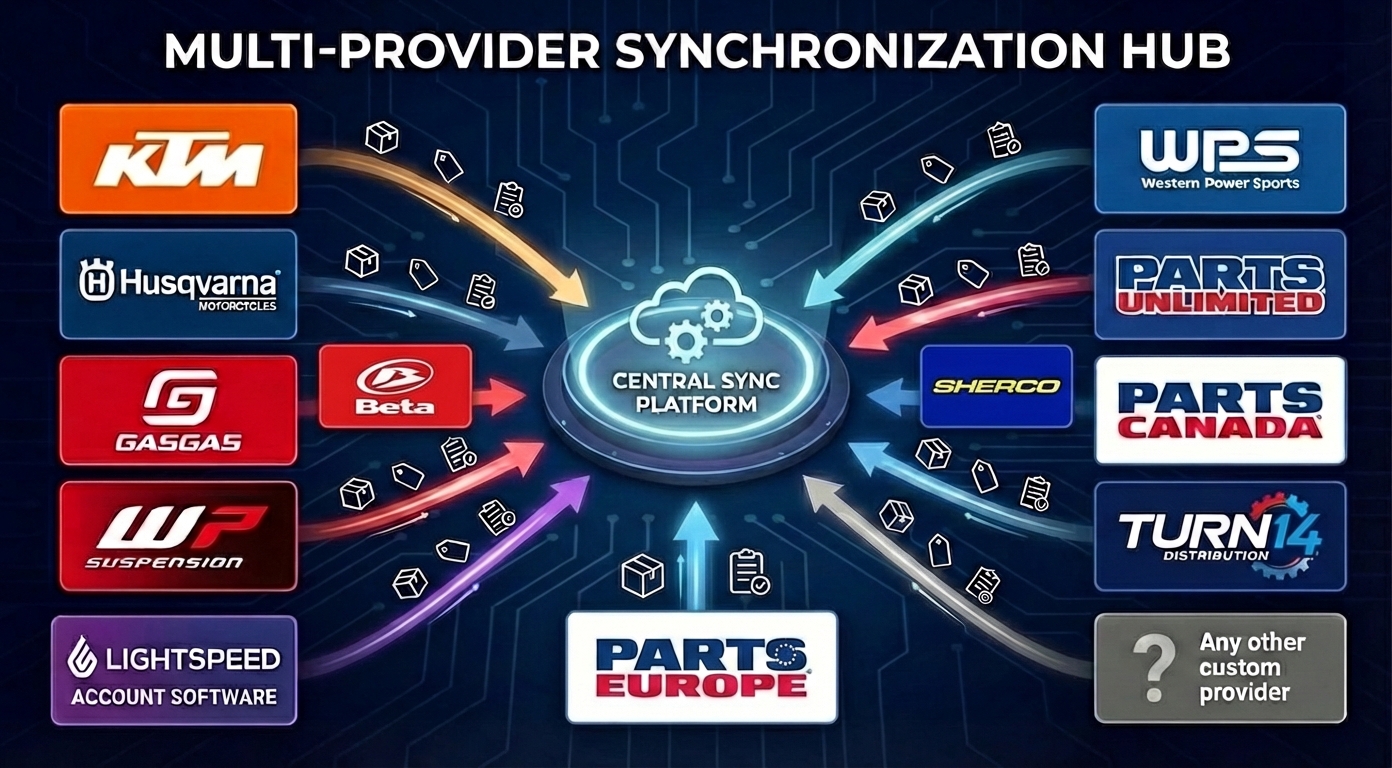
When a customer adds a part, your backend must query current stock. If an item is out of stock in your warehouse, but available in KTM's central depot, the widget should change the status to: Factory Order.
Summary: The Modern Dealership Stack
Deploying a secure **motorcycle parts catalog database api** with copy-paste frontend widgets is the industry-standard approach for modern motorcycle dealerships. It completely removes the need to maintain millions of static product variants on Shopify, keeps database speeds fast, and guarantees customers find the exact parts they need to complete their build.